

- One car with all its records
- VIN, photo, purchase price and mileage
- JSON backup of the car
- iCloud sync
- Demo garage
- 36 alternate app icons
1 car free · up to 10 in 
Track several cars in one app
MyAuto’s garage keeps each car separate — its VIN, photo, fuel type, purchase price and mileage, with its own expenses, fill-ups, service and trips. One car is free; with Pro the garage holds up to 10
Updated:
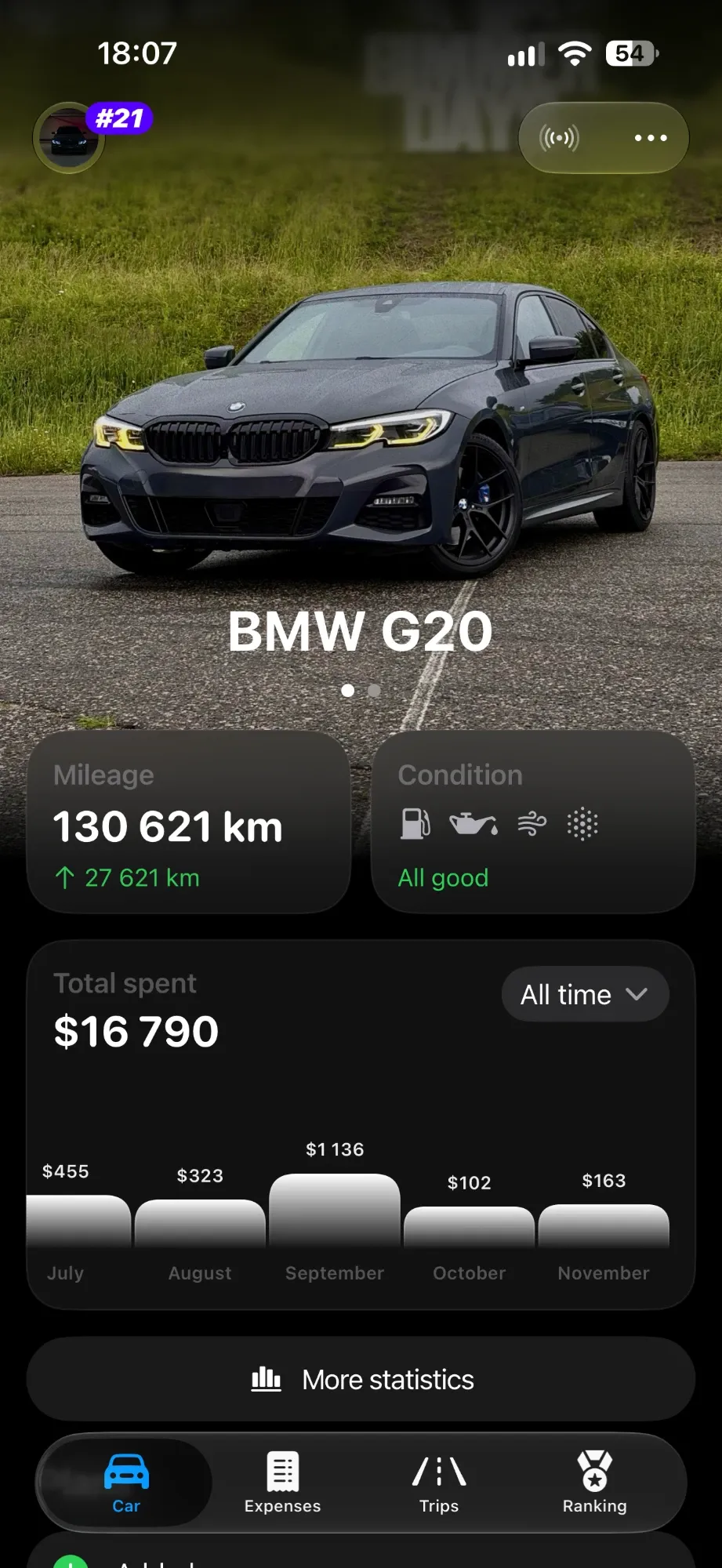

Every car with its own history
Records and statistics always belong to the car you pick
- 01
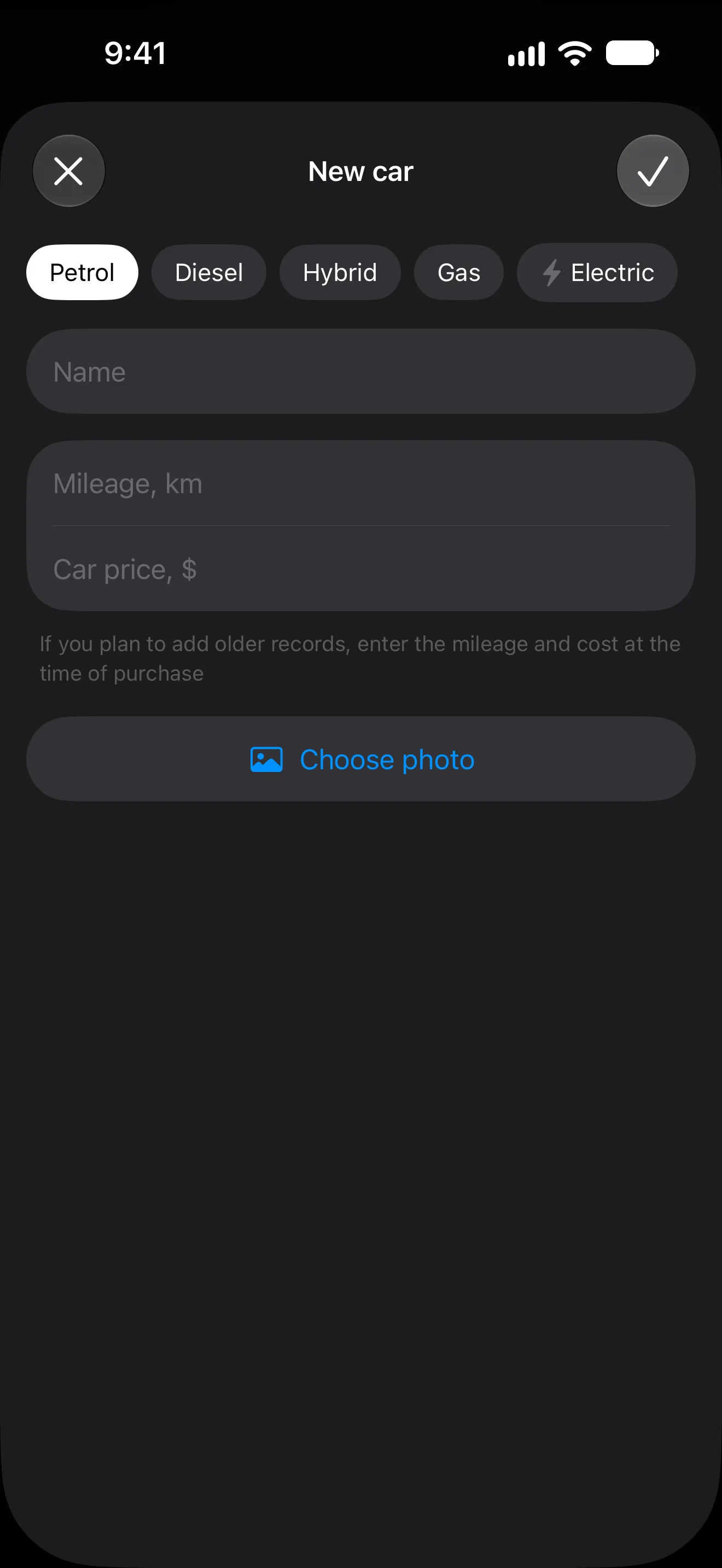
Swipe the garage to “Add car”: name, photo, fuel type, mileage and purchase price. One car is free; Pro holds up to 10.
- 02
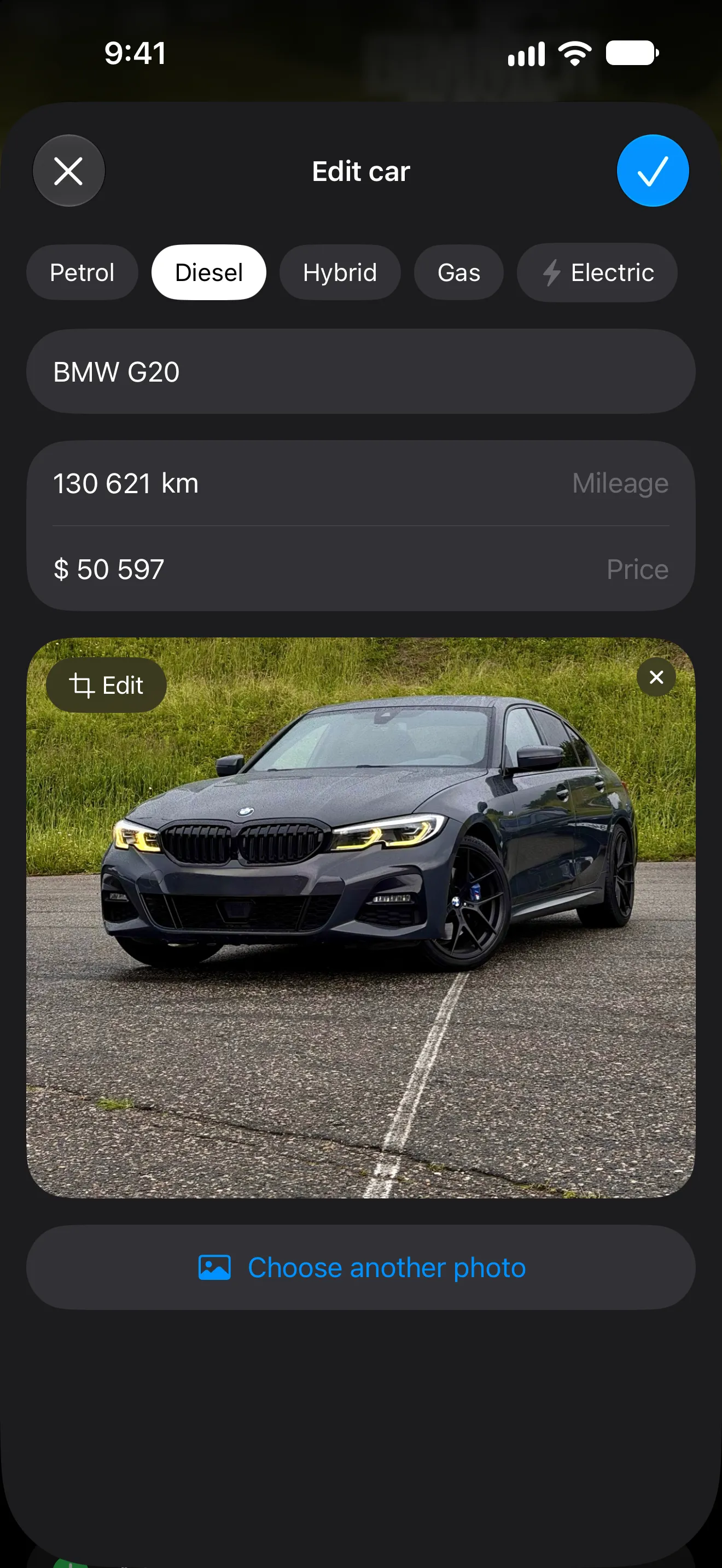
Swipe between cars on the Car tab — every record and statistic follows. A car’s details change in its menu, under Edit.
- 03
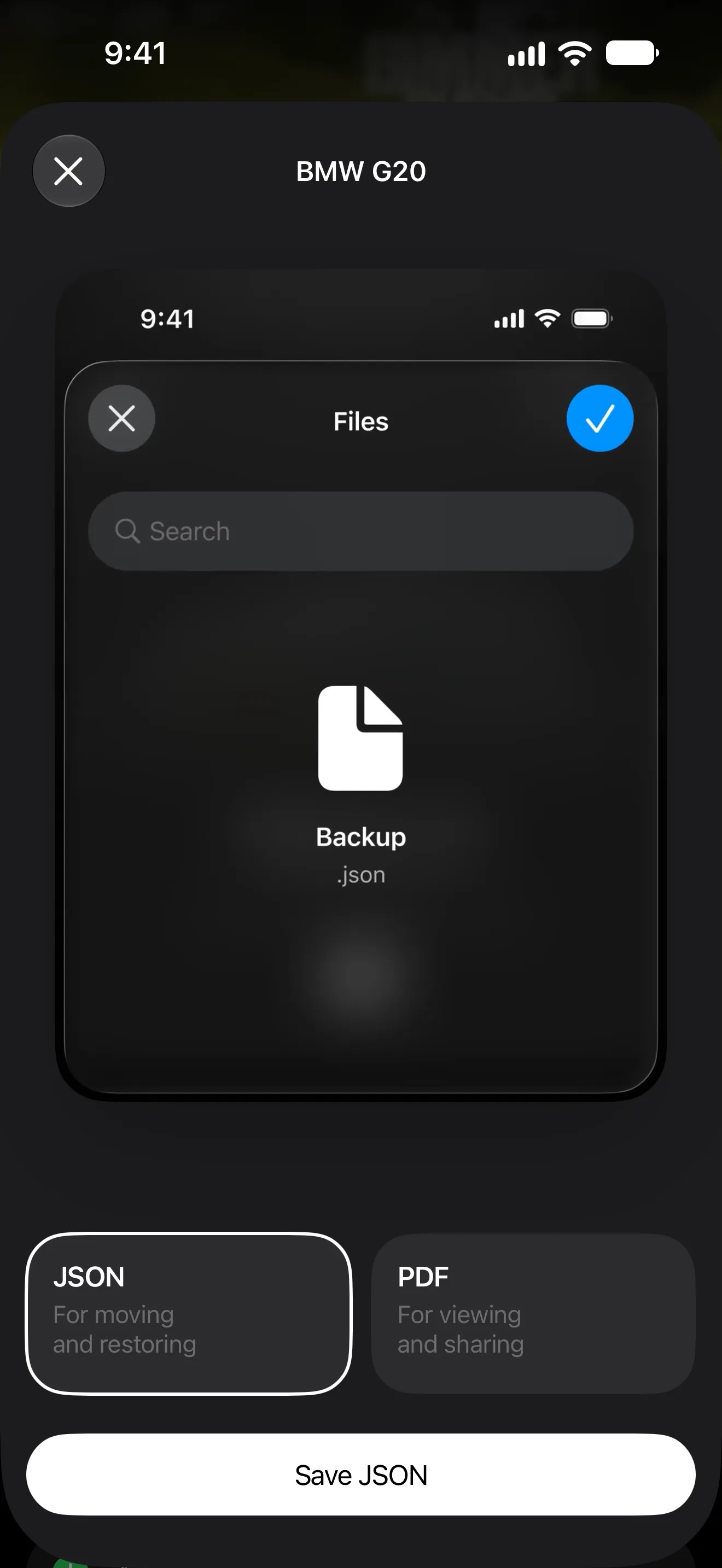
Car menu → Save → JSON: a backup of the car for moving and restoring. Load brings it back.
What the garage does
-
Up to 10 cars
One car is free; Pro holds up to ten.
-
Each car’s details
Name, photo, fuel type, VIN, purchase price and mileage.
-
Nothing gets deleted
If Pro ends, the extra cars are locked, not deleted.
-
Backup of a car
Save a JSON backup of any car; importing an extra car needs Pro.
-
iCloud sync
Sign in with Apple and the whole garage syncs between your devices.
-
Your car on the icon
36 alternate app icons across 12 car brands, free.
What’s free and what’s Pro

- Up to 10 cars
- Import an extra car from a backup
Pro is monthly, yearly or Lifetime; the price is shown in the App Store before you pay. Compare Free and Pro
Requirements and limits
- The VIN must be 17 characters.
- A demo garage shows how everything looks before you add your own car.
- Without Pro one car is active; the others stay locked, not deleted.
- iCloud sync needs Sign in with Apple and an iCloud account.
- MyAuto is made for iPhone and needs iOS 18 or later.
Questions and answers
How many cars can I add?
One car is free. With Pro the garage holds up to 10 cars, each with its own expenses, fill-ups, service, trips and statistics.
What happens to my cars if Pro ends?
Nothing is deleted. The extra cars are locked and come back when you renew Pro.
Can I move a car to a new iPhone?
Yes. Sign in with Apple and turn on iCloud sync, or save a JSON backup of the car and import it on the new phone.
Can I change the app icon to my car?
Yes, for free: there are 36 alternate app icons across 12 car brands.
Works well with
Start with one car It’s free
Download MyAuto, add your car and log the first record. Pro is there when you want trips and statistics
Get MyAuto — free  iOS 18+ CarPlay

