

Trip recording is part of Pro. Without it you still keep expenses, fill-ups and service for one car for free.

Trip and mileage tracker for iPhone
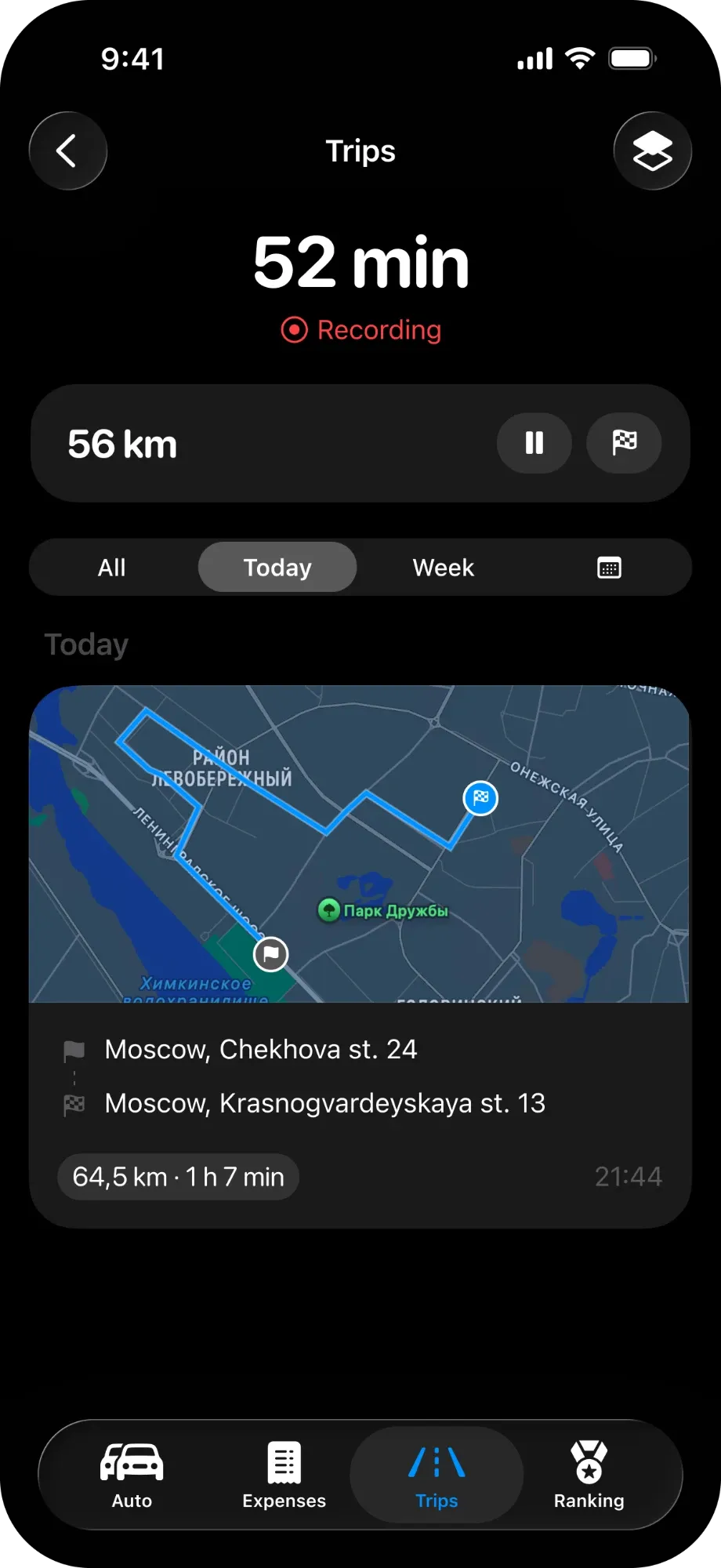
MyAuto records the route, distance, time and speed of every drive and adds the kilometres to your mileage. Set up two Shortcuts automations once, and trips start and finish on their own when your iPhone connects to and disconnects from CarPlay or your car’s Bluetooth. Trip recording is part of Pro
Updated:
Set it up once. Then just drive
Five steps — MyAuto shows the same ones in its settings
- 01
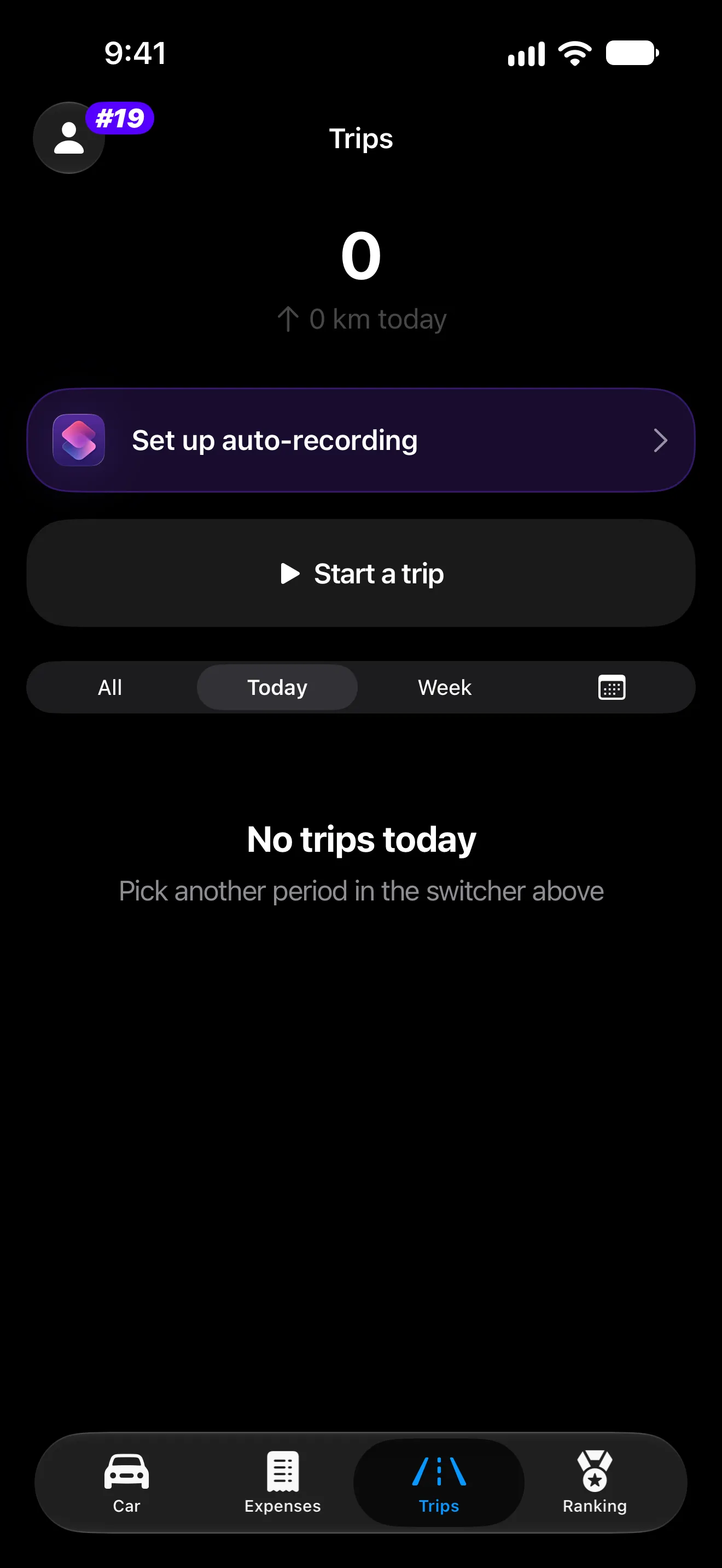
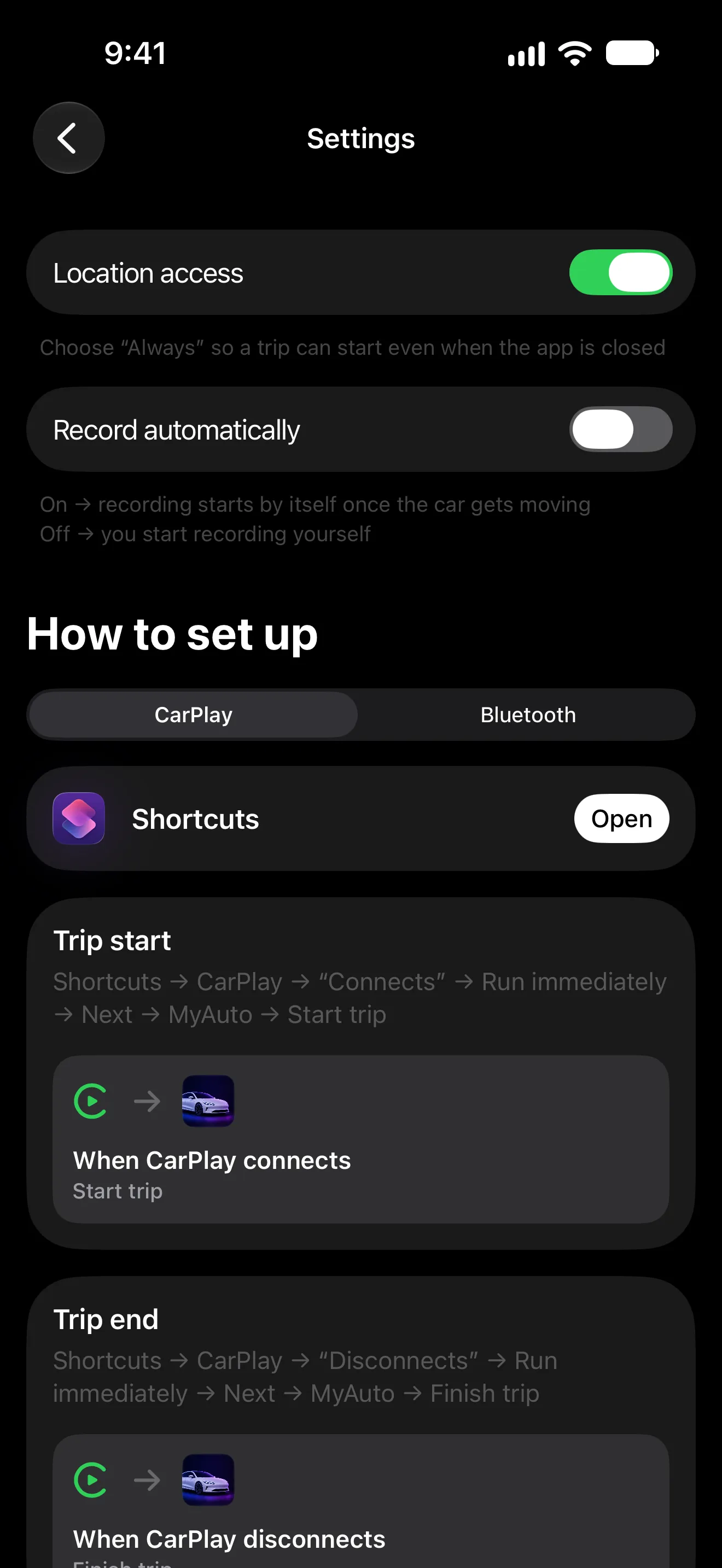
On the Trips tab, tap “Set up auto-recording”: the switches are there, and the steps for Shortcuts under them.
- 02
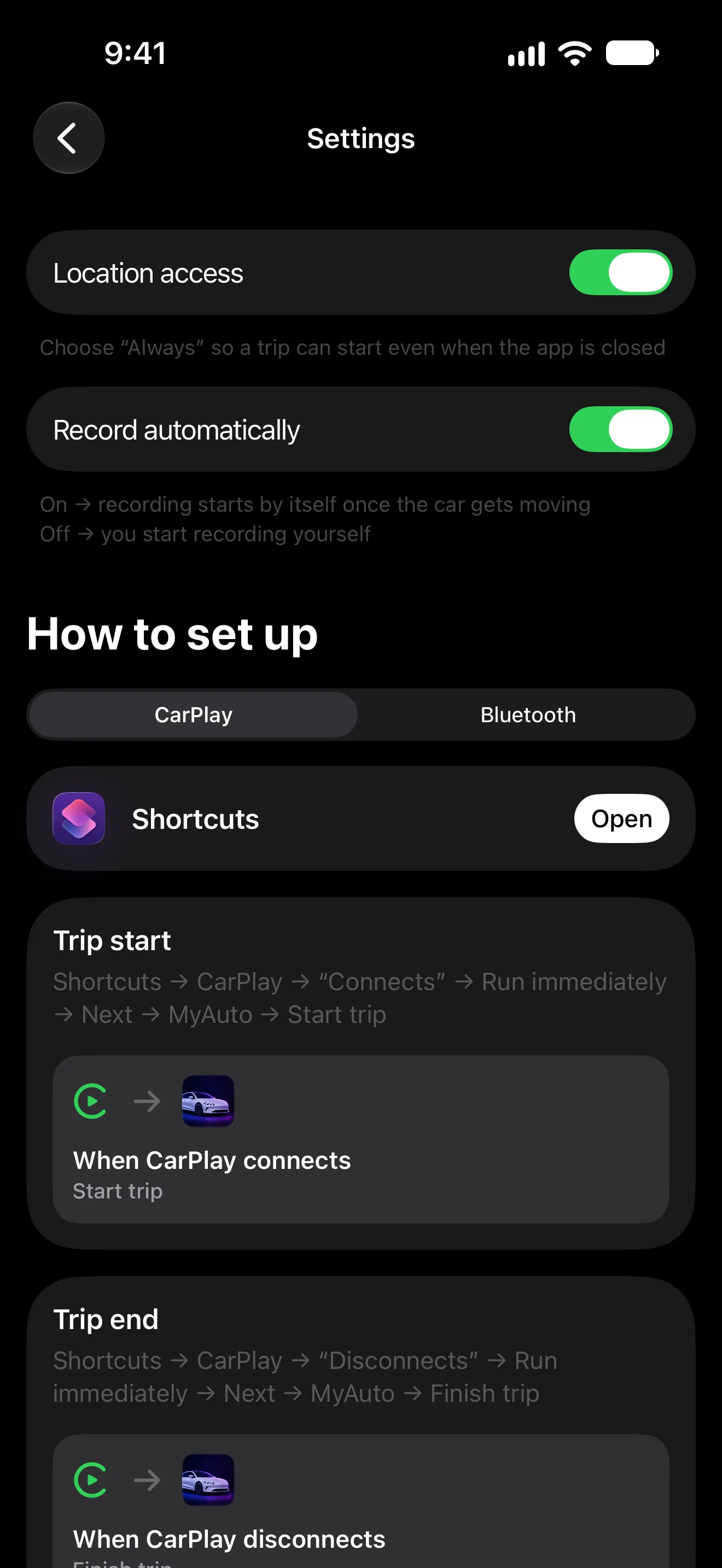
Turn on Location access and choose “Always” with precise location, so a trip can start even when the app is closed.
- 03
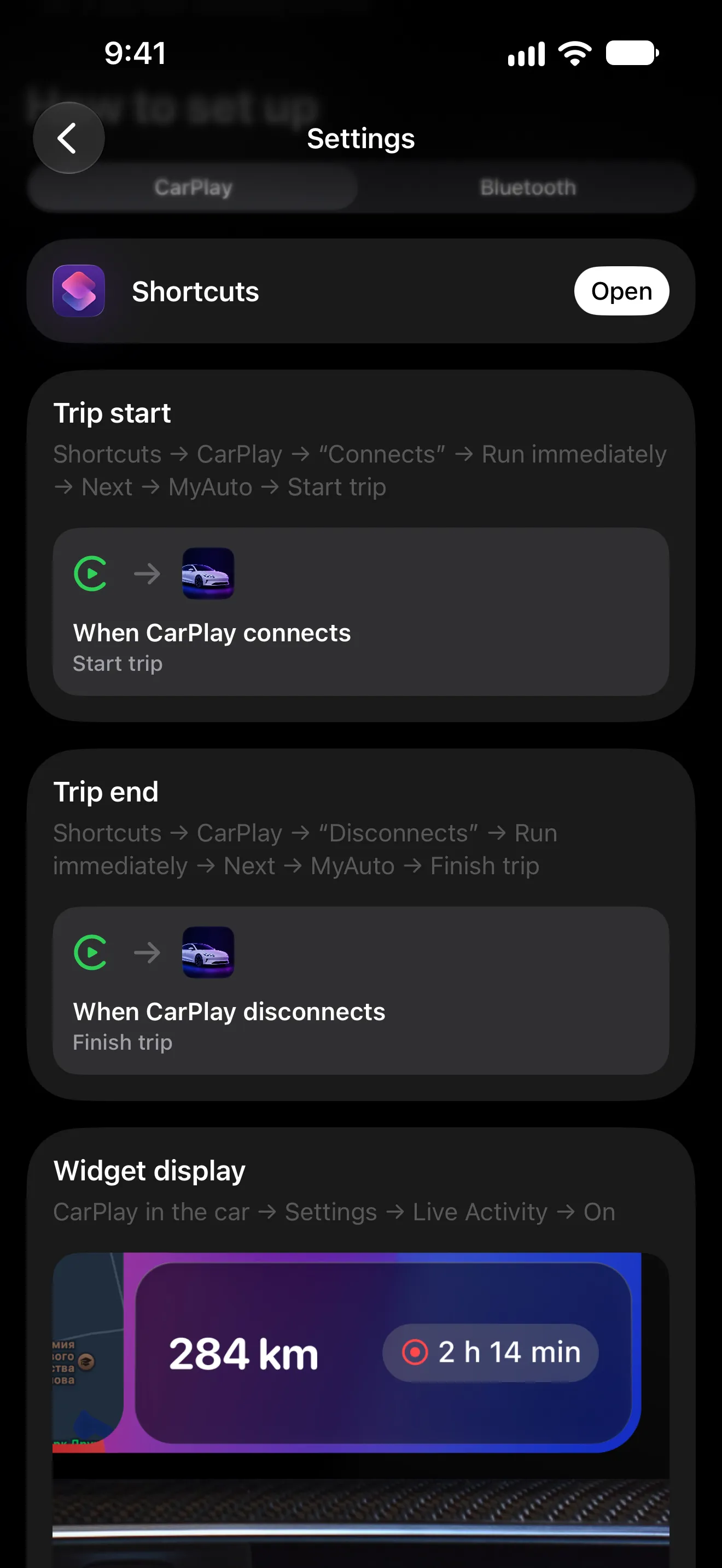
In Shortcuts: CarPlay “Connects” → Run immediately → MyAuto → Start trip, and “Disconnects” → Finish trip. No CarPlay? Do the same with your car’s Bluetooth.
- 04
Recording then starts by itself once the car gets moving. With it off, the Lock Screen asks first and the trip starts when you tap.
- 05
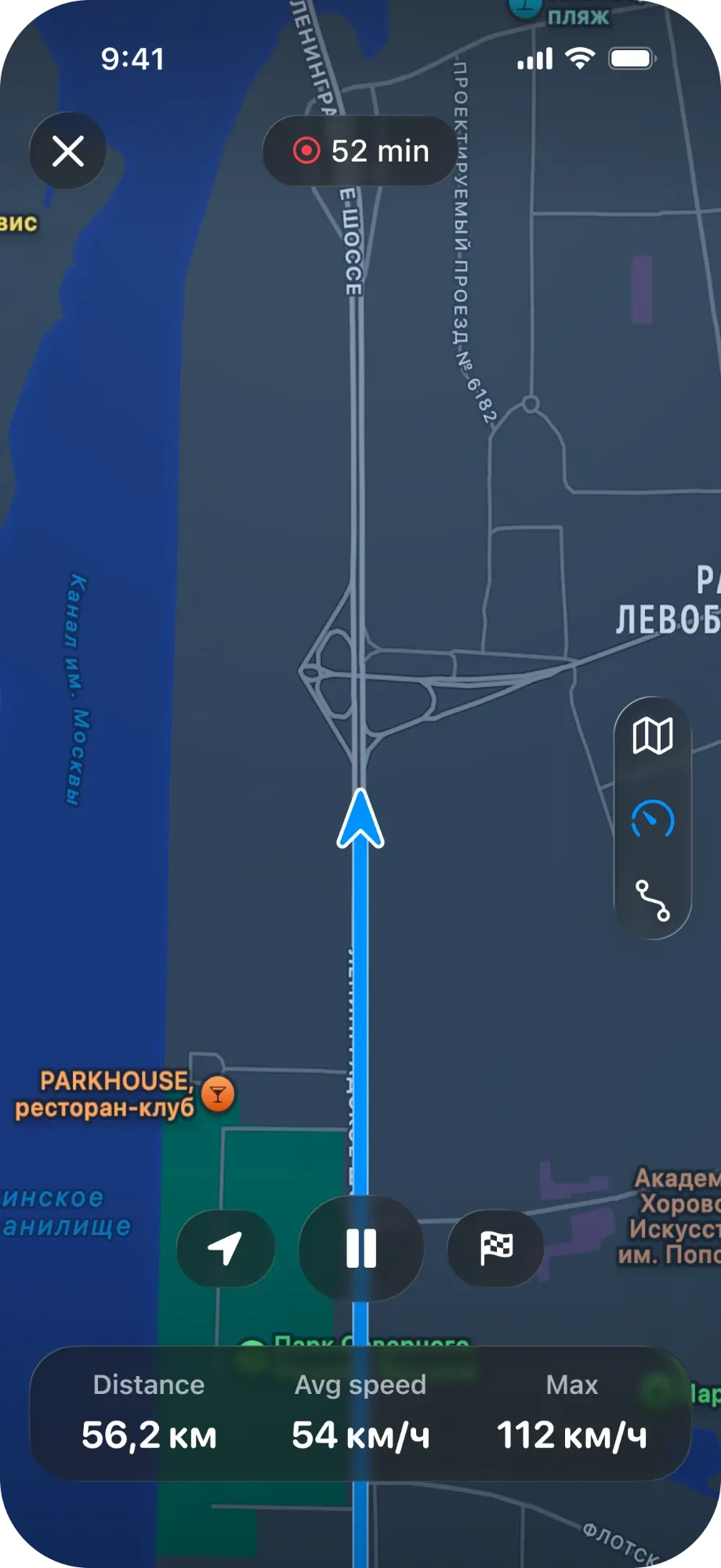
The route, distance and speed are recorded; pause or finish from the Lock Screen or Dynamic Island, if you ever need to.
What trip recording does
-
Route and speed
The route on a map, distance, time and a speed chart for every trip.
-
Replay
Watch a drive again and see the distance, time and average speed at every moment.
-
Stops and signal gaps
See where you stopped and where the GPS signal dropped out.
-
Fix the distance
GPS tends to read a little short — enter the distance from the odometer and the mileage follows.
-
Lock Screen and CarPlay
A Live Activity shows the current trip; the CarPlay screen shows its distance and time.
-
Cards to share
Share a trip as a card with the route map or your own photo, sized for a story or a post.
What’s free and what’s Pro

- Trip recording: route, distance, time and speed
- Hands-free start and finish through Shortcuts
- Live Activity on the Lock Screen, in Dynamic Island and on CarPlay
- Trips count towards the ranking and trophies
Pro is monthly, yearly or Lifetime; the price is shown in the App Store before you pay. Compare Free and Pro
Requirements and limits
- Needs precise location; choose “Always” for trips that start while the app is closed.
- Trips shorter than 0.5 km or 2 minutes are not saved, so parking manoeuvres don’t clutter the mileage.
- Trips and their routes are stored on your iPhone and, with sync on, in your own iCloud. Routes are never sent to MyAuto’s servers.
- MyAuto is made for iPhone and needs iOS 18 or later.
Questions and answers
Does MyAuto record trips automatically?
Yes, once you set it up. Create two Shortcuts automations: one starts the trip when your iPhone connects to CarPlay or your car’s Bluetooth, the other finishes it when it disconnects. With Record automatically on, recording begins once the car gets moving. You can also start a trip in the app or from the Lock Screen.
Where are my routes stored?
On your iPhone, and in your own private iCloud if you turn on sync. Route coordinates are never sent to MyAuto’s servers — even the ranking gets only trip totals.
Why does the distance differ from my odometer?
GPS usually reads a little short. You can enter the distance from the odometer, and the mileage entry follows.
Is trip recording free?
No, trip recording is part of Pro, together with the Live Activity and the CarPlay card.
Works well with
Start with one car It’s free
Download MyAuto, add your car and log the first record. Pro is there when you want trips and statistics
Get MyAuto — free  iOS 18+ CarPlay

