

Reading car data is part of Pro. Without it you still keep expenses, fill-ups and service for one car for free.

Car data on iPhone through an OBD adapter
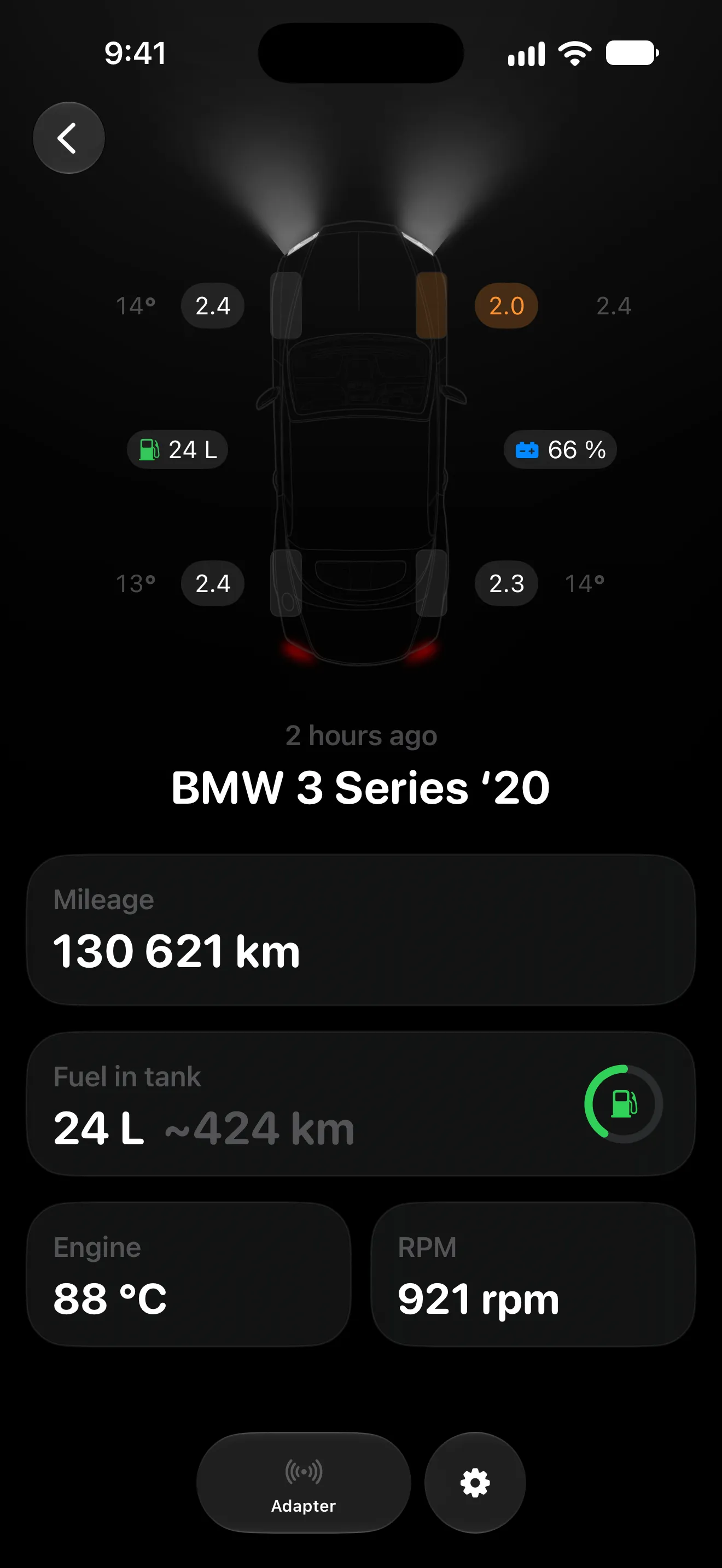
MyAuto reads data straight from your car through a Bluetooth or Wi-Fi OBD II adapter: the mileage, tire pressure and temperature, battery charge, fuel and range, engine temperature and RPM. The app recognises the car by its VIN, and what it can read depends on the make, model and year. Reading car data is part of Pro
Updated:

Plug in the adapter. See the data
Setup takes a couple of minutes; after that, with auto-connect on, the adapter connects by itself
- 01
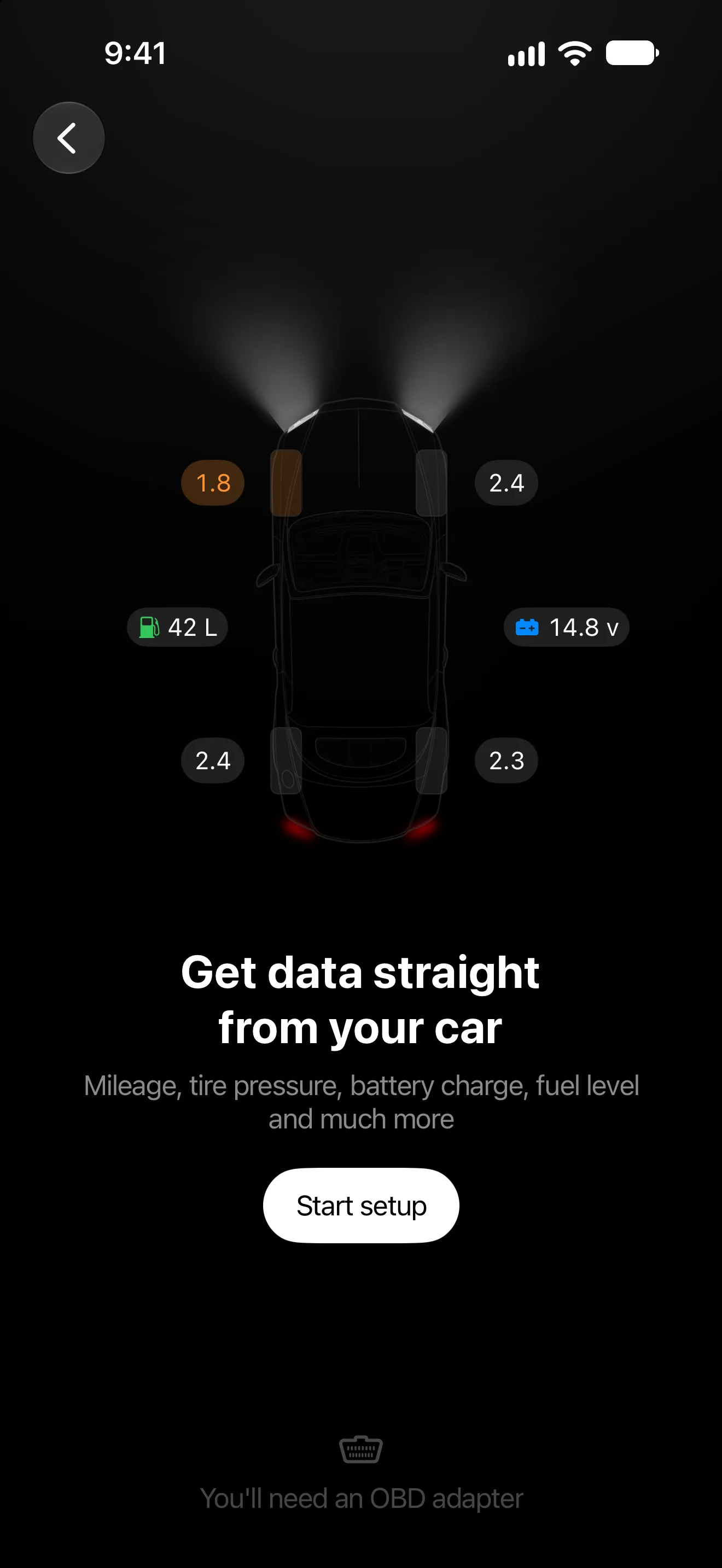
Into the OBD II port, usually under the steering wheel. Turn the ignition on and tap “Start setup”.
- 02
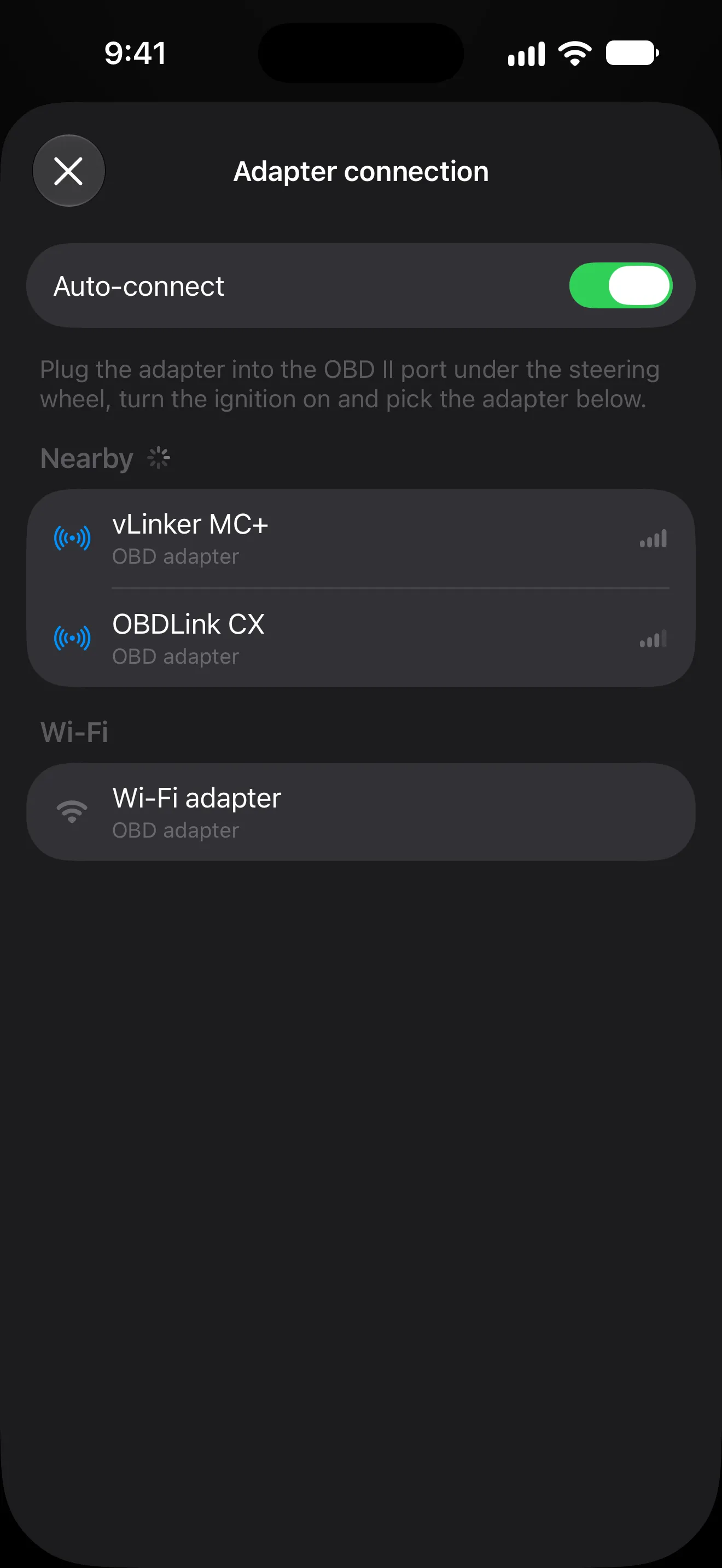
A Bluetooth adapter shows up under Nearby. For a Wi-Fi one, join its network in iPhone Settings first, then tap “Wi-Fi adapter”.
- 03
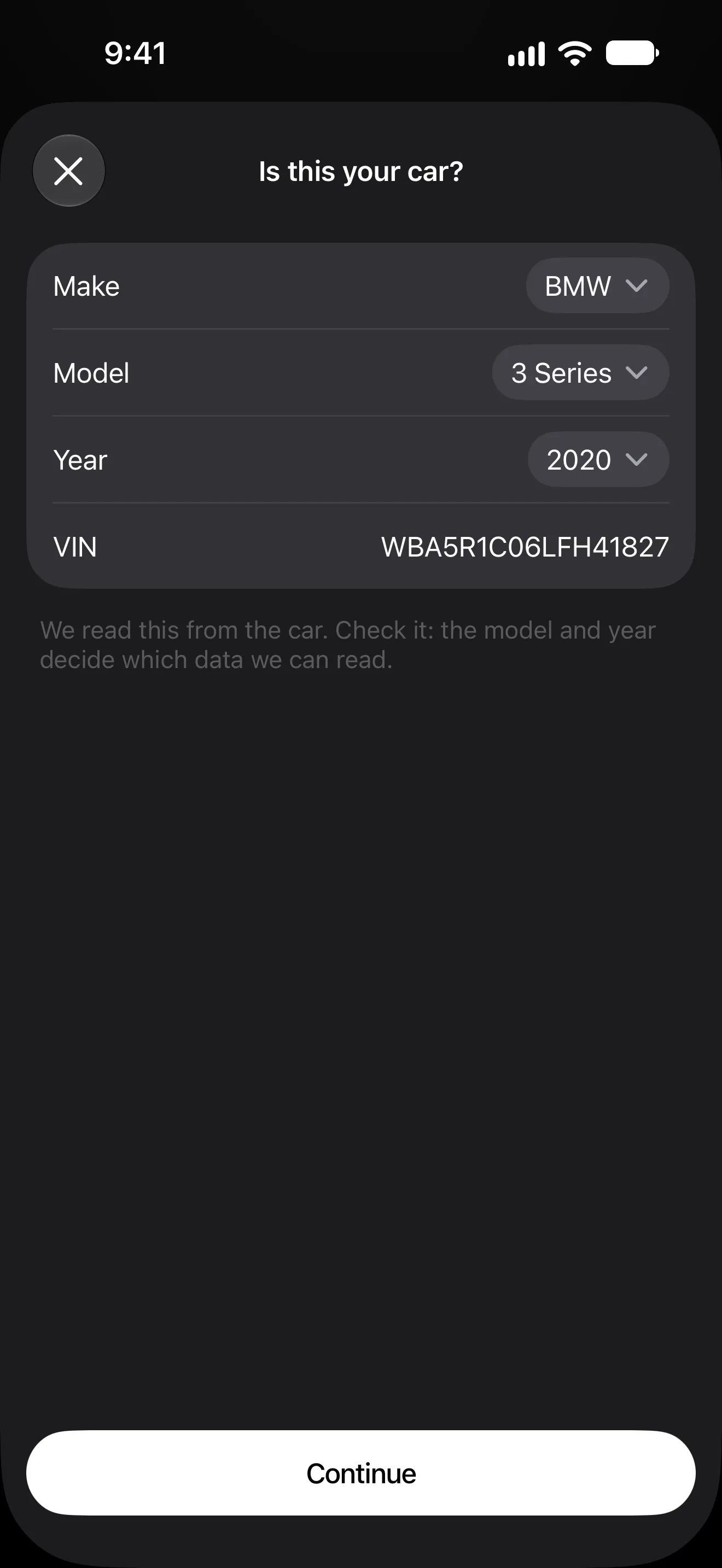
MyAuto finds the make, model and year by the VIN — check them or correct them.
- 04
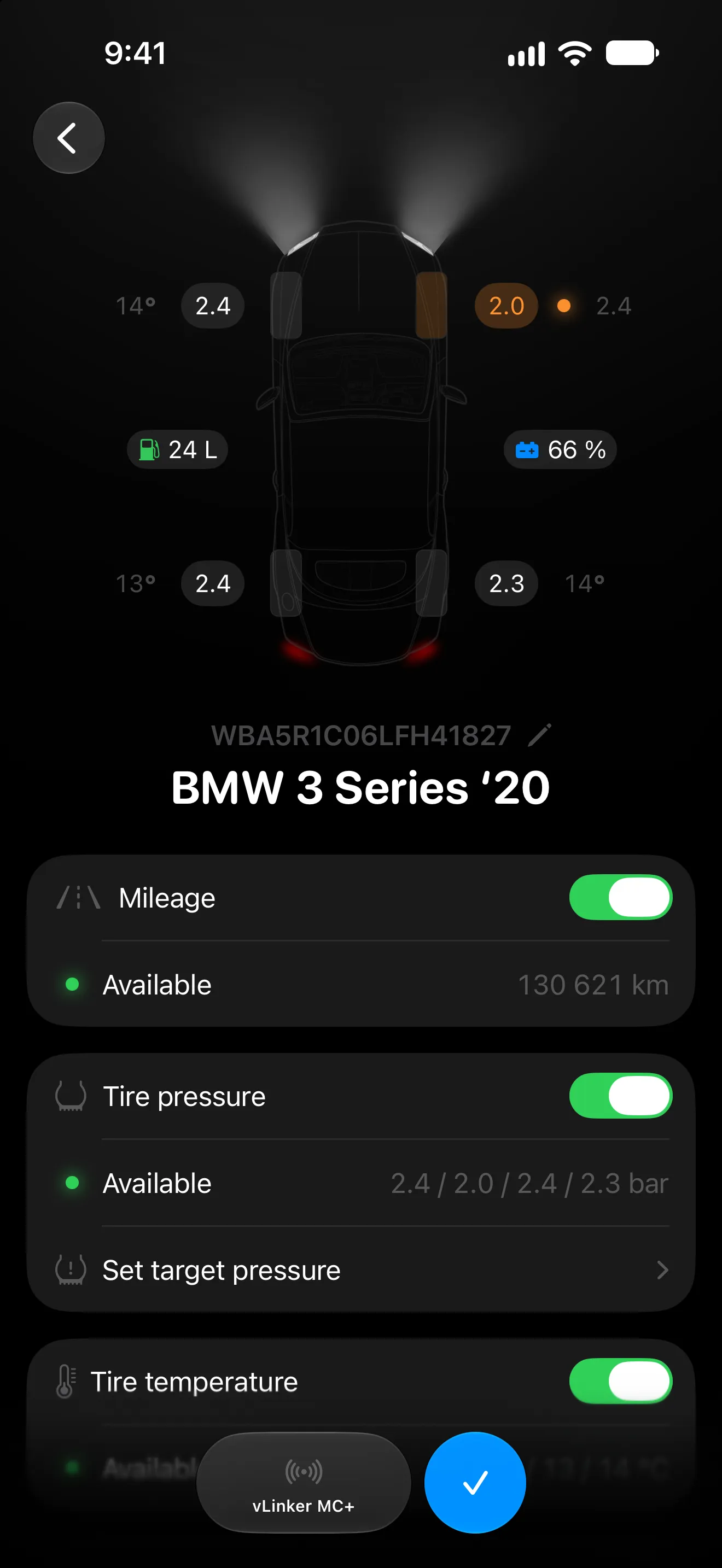
Mileage, tires, battery, fuel, engine, RPM — the values appear on the car scheme.
What car data reading does
-
Tire pressure
Set the target for summer and winter tires: 15 % below it a tire turns yellow, 30 % below — red.
-
Engine and RPM
Engine temperature and RPM while the adapter is connected.
-
Battery
The charge in percent if the car reports it, otherwise the 12 V voltage.
-
Fuel and range
Enter the tank capacity to see the fuel left in litres; without it, a percentage.
-
Mileage without typing
The car’s mileage goes into the mileage history; on a trip, distance and speed come from the car.
-
Auto-connect
MyAuto connects to the adapter on its own: a Bluetooth one even in the background, a Wi-Fi one while the app is open or recording a trip.
What’s free and what’s Pro

- Bluetooth or Wi-Fi OBD II adapter connection
- Mileage, tires, battery, fuel, engine and RPM
- Target tire pressure and highlighted tires
- The car’s mileage in the mileage history
- Trip distance and speed from the car
- Auto-connect to the adapter
Pro is monthly, yearly or Lifetime; the price is shown in the App Store before you pay. Compare Free and Pro
Requirements and limits
- You need an OBD II adapter with Bluetooth LE, such as vLinker MC+, Veepeak BLE or OBDLink CX, or one with Wi-Fi. iPhone doesn’t see adapters with classic Bluetooth, like cheap ELM327 v1.5 ones.
- MyAuto asks for Bluetooth access on the first search for an adapter, and for local network access on the first connection to a Wi-Fi adapter.
- While iPhone is on a Wi-Fi adapter’s network, wireless CarPlay may not work; wired CarPlay works as usual.
- What can be read depends on the car’s make, model and year; signal descriptions come from the open OBDb database.
- Engine temperature and RPM are shown only while the adapter is connected.
- MyAuto doesn’t read error codes.
- The VIN and the car’s readings stay on your iPhone and never reach MyAuto’s servers.
- MyAuto is made for iPhone and needs iOS 18 or later.
Questions and answers
Which OBD adapter do I need?
An OBD II adapter with Bluetooth LE, such as vLinker BM+ or MC+, Veepeak BLE or OBDLink CX, or one with Wi-Fi. Adapters with classic Bluetooth — vLinker FS or MS and cheap ELM327 v1.5 — don’t work with iPhone.
Does a Wi-Fi adapter work with CarPlay?
Wired CarPlay works as usual. Wireless CarPlay may not work while iPhone is connected to the adapter’s network: iPhone stays on one Wi-Fi network at a time, and wireless CarPlay runs over the car’s Wi-Fi.
Which cars does it work with?
Cars with an OBD II port. Speed, RPM, engine temperature and fuel are standard data almost every car reports; tire pressure, the exact mileage and the battery charge are the maker’s own signals and not every model has them. MyAuto recognises the car by its VIN and picks the signal descriptions from the open OBDb database.
Do I have to connect the adapter every time?
No. With Auto-connect on, MyAuto connects to the last adapter by itself: a Bluetooth one even in the background, a Wi-Fi one while the app is open or recording a trip. If you swipe the app away, connect it by hand once.
Where does the car’s data go?
Nowhere outside your devices. The readings are stored on your iPhone; the mileage goes into the mileage history and syncs through your own iCloud if sync is on. Only the model name is sent out, to download its signal file.
Is it free?
Reading car data is part of Pro, which is monthly, yearly or Lifetime. Expenses, fill-ups and service for one car stay free.
Works well with
Start with one car It’s free
Download MyAuto, add your car and log the first record. Pro is there when you want trips and statistics
Get MyAuto — free  iOS 18+ CarPlay

